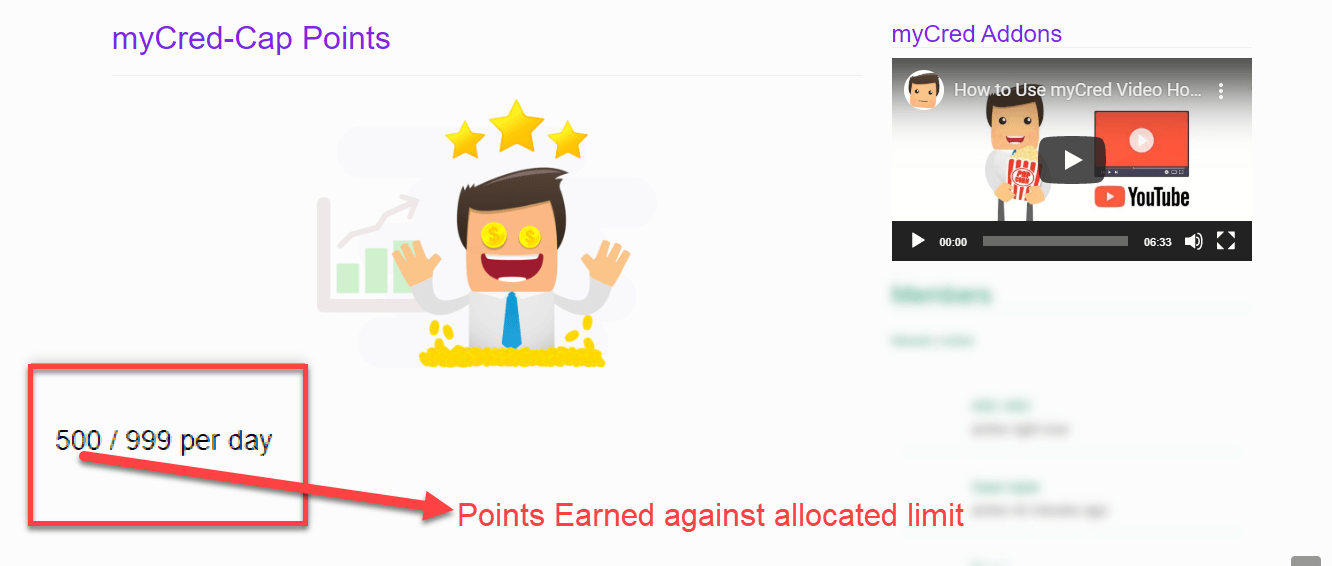
myCred Points Cap plugin lets admins set maximum point-earning limits for users over customizable periods (daily, weekly, monthly, or lifetime). It supports shortcodes for flexible placement on sites, allows users to see their earned points relative to their cap. This points and rewards addon can be integrated with myCred’s hooks. This add-on is ideal for WordPress sites looking to gamify user engagement while managing point accrual levels efficiently.

Points Cap
Features
Allows you to install and use this plugin on a single website or multisite installation.

Allocate Maximum Point Limits
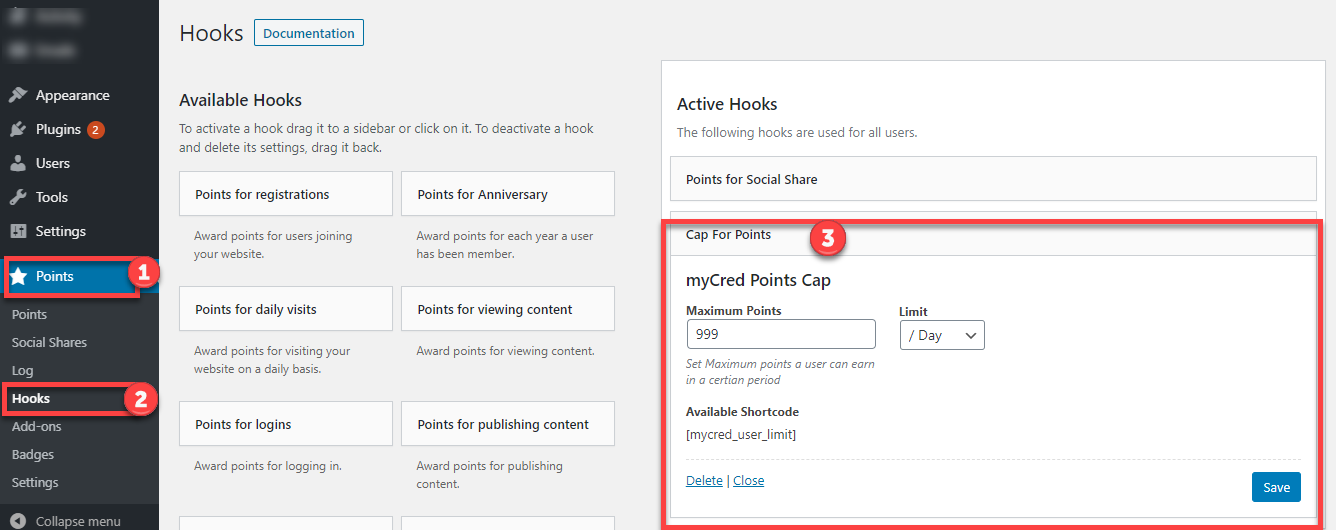
Set the limit on the maximum number of points your users can earn.

Set Point Limit
Set limits on earning points according to days, weeks, months or lifetime.

Shortcode Supported
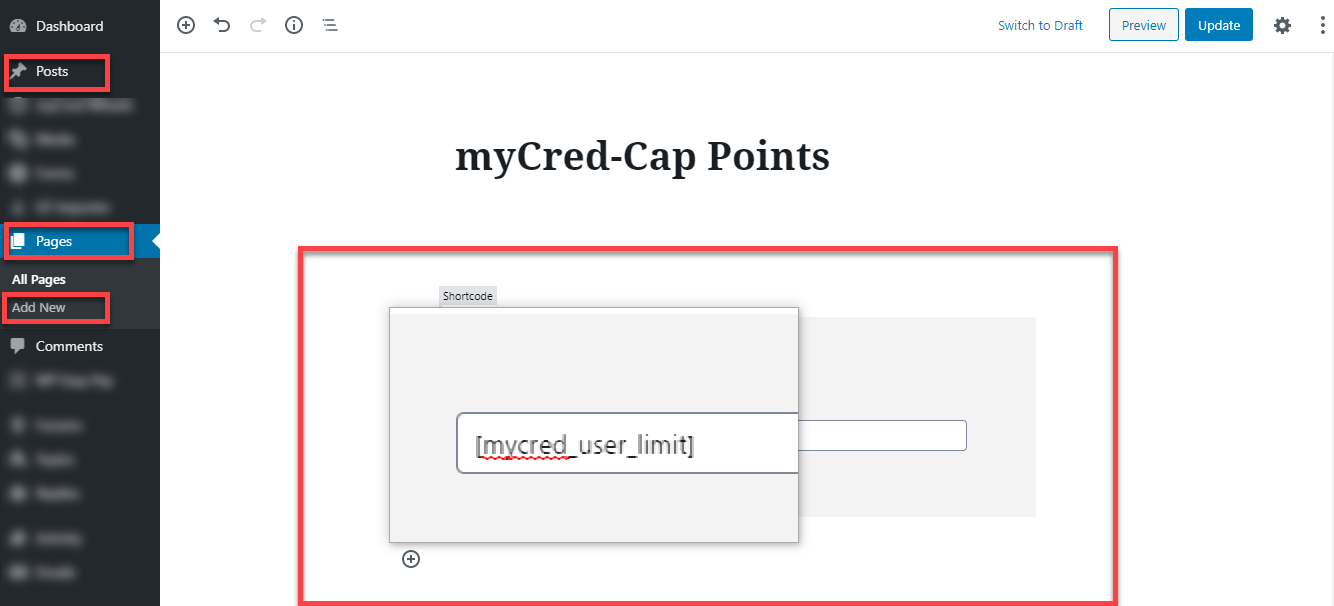
Use the shortcode to display the addon anywhere on the website.

Display Earned Points & Maximum Limit to Users
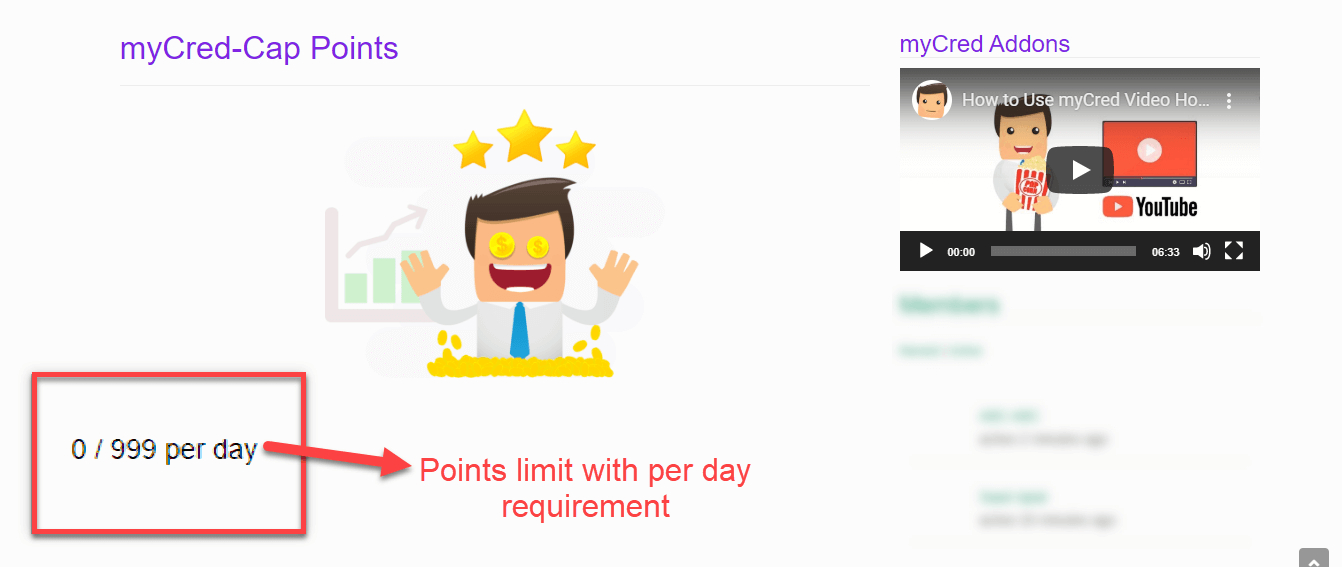
Show your users the number of loyalty reward points they earned and what the maximum earn limit is currently.

Enable With Hooks
Use the addon with reference to myCred's available hooks.
myCred Points Cap plugin lets admins set maximum point-earning limits for users over customizable periods (daily, weekly, monthly, or lifetime). It supports shortcodes for flexible placement on sites, allows users to see their earned points relative to their cap. This points and rewards addon can be integrated with myCred’s hooks. This add-on is ideal for WordPress sites looking to gamify user engagement while managing point accrual levels efficiently.
Installation Guide
Please follow the below instructions step by step.
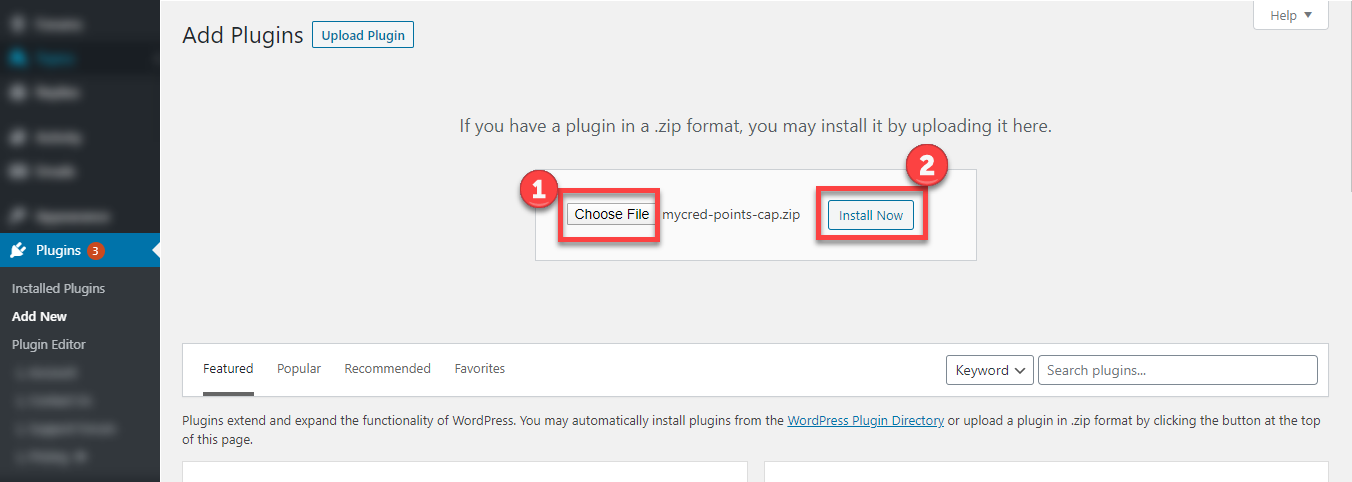
- Download the zip file from your mycred.me account > My Downloads
- Go to the WordPress Admin Dashboard > Plugins
- Once you are in the plugins page you can see the “Add New” button in the top left corner.
- Click “Add New” button and upload the zip file of a plugin which you’ve downloaded from mycred.me account.
Once plugin installed, click the “Activate” button.
To view the documentation
click here
Please follow the below instructions step by step.
- Download the zip file from your mycred.me account > My Downloads
- Go to the WordPress Admin Dashboard > Plugins
- Once you are in the plugins page you can see the “Add New” button in the top left corner.
- Click “Add New” button and upload the zip file of a plugin which you’ve downloaded from mycred.me account.